How to Delete Your Data
Follow these simple steps to permanently delete your ChatWizard account and all associated data.
Warning:
This action is permanent and cannot be undone. All your conversations, settings, and account data will be permanently deleted.
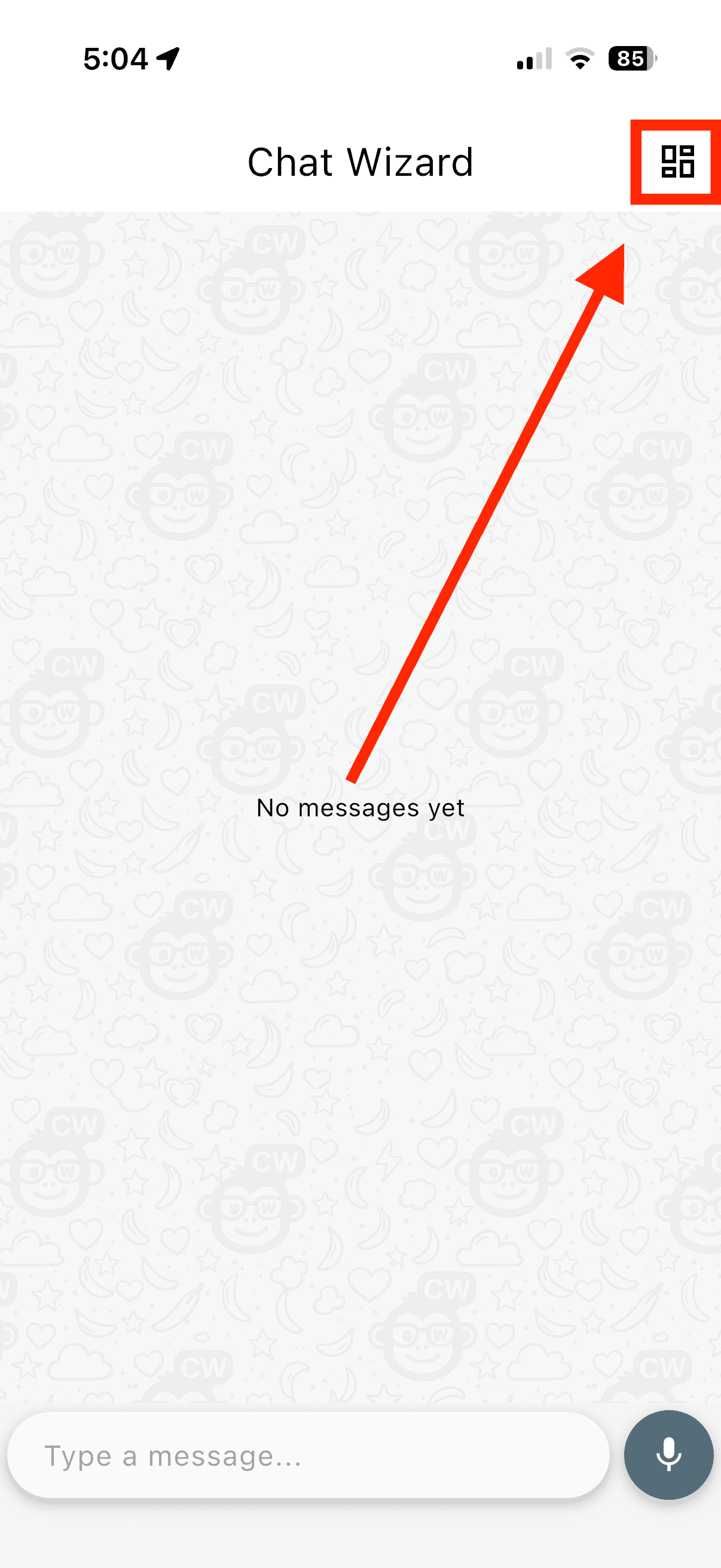
Go to Dashboard
Open the ChatWizard app and navigate to your main dashboard.
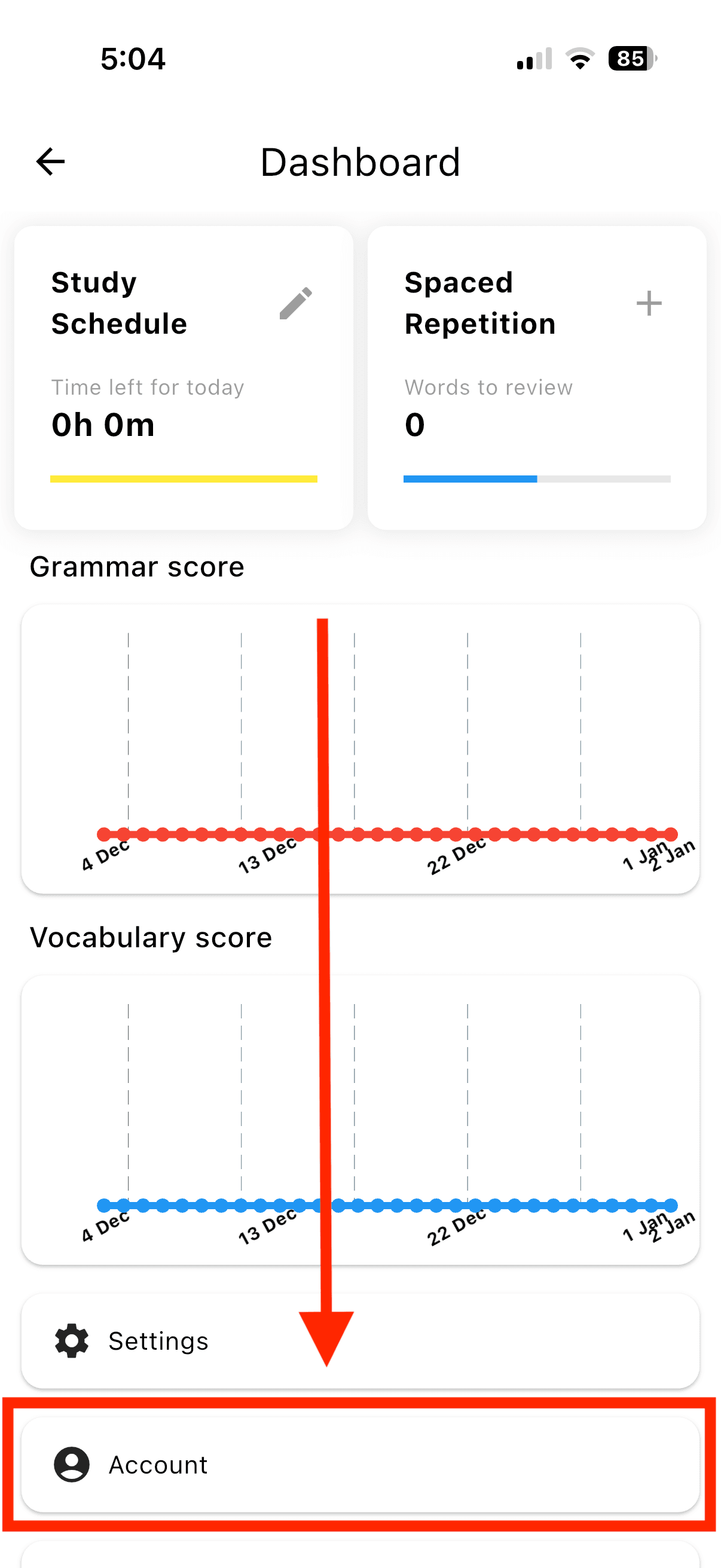
Access Account Settings
In the settings menu, find and click on "Account" or "Account Settings" to manage your account details.
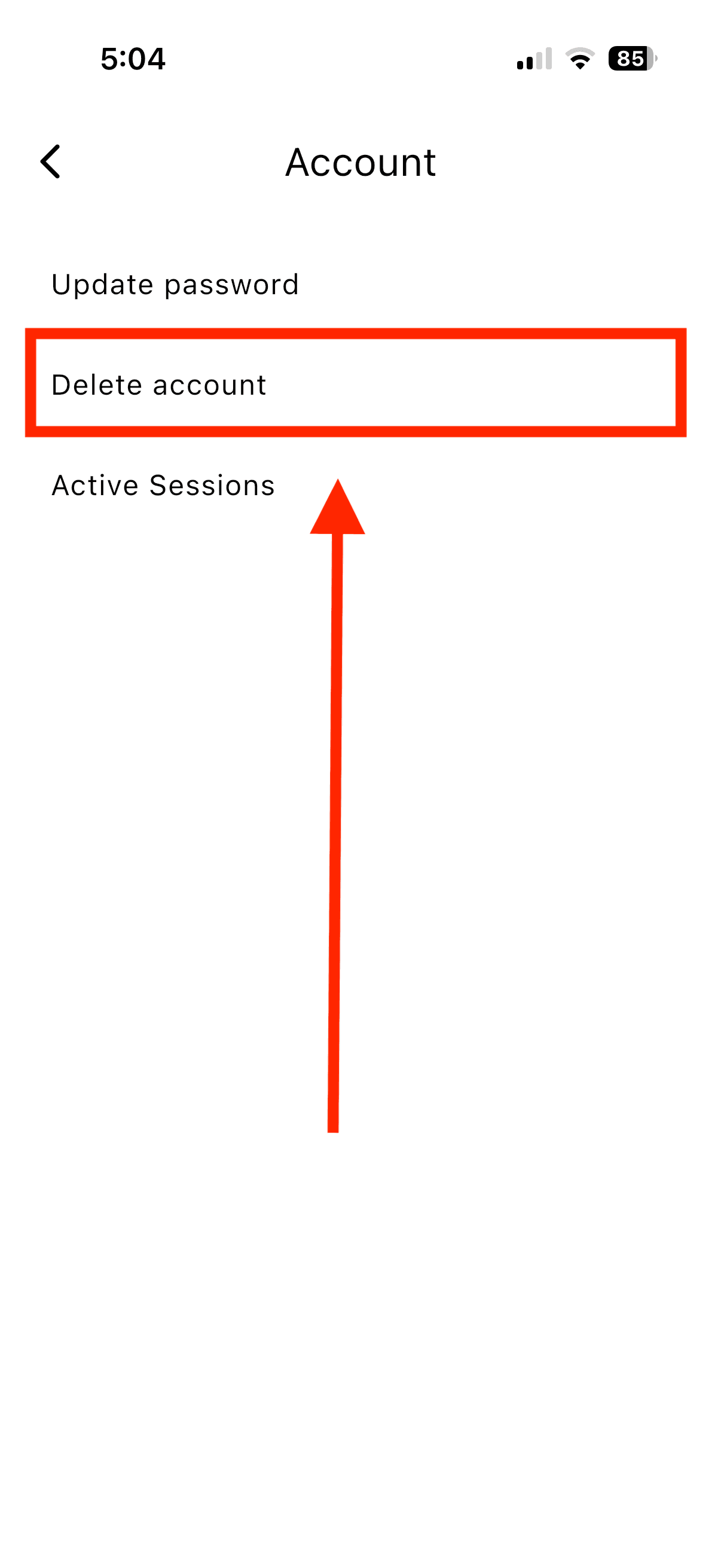
Find Delete Account Option
Scroll down in your account settings to find the "Delete Account" or "Delete Data" option. This is usually located at the bottom of the page.
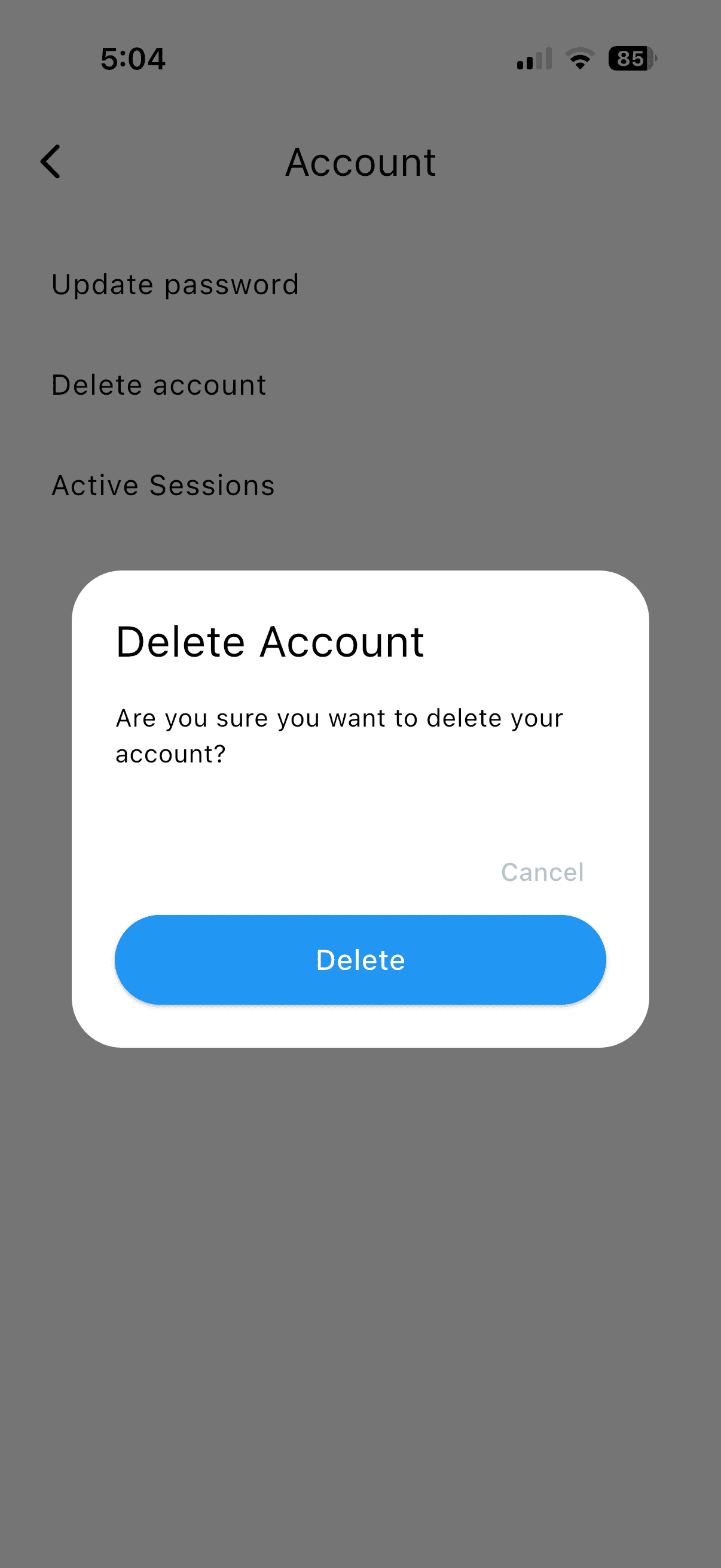
Confirm Deletion
Enter your password if prompted, then confirm that you want to permanently delete your account and all data. Click the final "Delete" button to complete the process.
What Gets Deleted?
Account Data
- Your profile information
- Account settings and preferences
- Login credentials
- Email address and contact information
Chat Data
- All conversation history
- Learning progress and statistics
Need Help?
If you're having trouble deleting your account or have questions about data deletion, please contact our support team.